Airdrop on Avalanche
Avalanche Token Multisender
Avalanche Multisender: airdrop one token to thousands of wallets on the C-Chain with sub-second finality.
No active airdrop yet
Configure the recipients above and click Send Airdrop. Transaction progress will appear here.
The cost of multisender is 0.05 AVAX per wallet + GAS.
The airdrop will start and will take some minutes to complete.
Check here a whole blog post about how to make an Airdrop on Avalanche
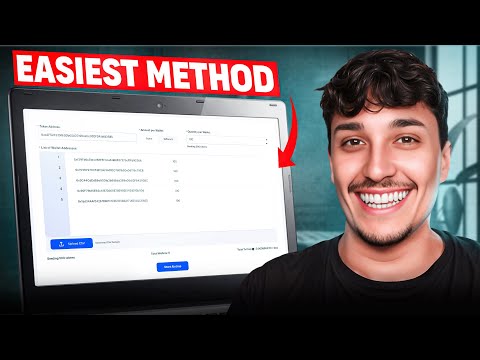
How to use Avalanche Multisender
- Connect your Avalanche wallet
- Introduce the token quantity each wallet will receive
- Write/Upload the list of addresses
- Verify all the information is correct
- Click on start airdrop and accept the transaction
- Wait until your airdrop has finished!
Benefits of Token Multisender
One transaction, not hundreds
the batch pays Avalanche's per-transaction cost once instead of once per recipient
Real gas savings
bundling ERC-20 transfers is what makes a large airdrop affordable on Avalanche
Audited by Halborn
non-custodial, tokens go straight from your wallet to each recipient
Typos caught before you pay
every address is validated in the browser, not on-chain
CSV or paste
upload a holder export or type the list in, with a custom amount per row
Proven at scale
over 270,000 wallets paid through Smithii's multisenders
If you need more help contact our team
Got questions?
If you need more help contact our team
An airdrop to thousands of wallets is a long sequence of transactions, so confirmation time compounds. Avalanche's C-Chain settles in about a second, which means a long recipient list finishes in minutes instead of crawling through a queue.
The C-Chain, which is the EVM side of Avalanche and the one your wallet connects to by default. Tokens on the X-Chain or P-Chain are a different format and cannot be distributed from here.
It is non-custodial: the contract moves tokens out of your wallet to the addresses you listed, and it can never touch anything else you hold. The contract is audited by Halborn and every batch settles publicly on Snowtrace, so the distribution is verifiable line by line after the fact.
Two columns (address and amount), one recipient per row, pasted in or uploaded as CSV. No header row is required. Every address is validated before anything is signed, so a typo is caught in the browser rather than paid for in gas.
A small fee in AVAX per recipient, plus the network gas for each batch. The form totals both before you sign, so you see the whole cost of the airdrop rather than discovering it batch by batch. The current Smithii fee is 0.05 AVAX per wallet. Network fees are separate and shown before signing.
A ERC-20 token cannot be moved by a contract unless you allow it, so every airdrop is approve-then-send. The approval names the multisender and an allowance; the batches spend against it. Check the amount you grant. An unlimited allowance stays live afterwards, and revoking it is a separate transaction on Snowtrace.
From a snapshot. The Snapshot tool exports every holder of a token or NFT collection with their balance as a CSV, which drops straight into this form. Adjust the amounts and send.
Invalid addresses are flagged and dropped before submission, so no gas is spent on them. If a batch fails on-chain the tokens stay in your wallet; the tool reports which batches settled and which did not, and you can resend the remainder.
Fast finality on every batch
An airdrop to thousands of wallets is many transactions in sequence, so confirmation time compounds. Avalanche's C-Chain settles in about a second, which means a long recipient list finishes in minutes rather than dragging while you watch a queue.
Where the recipient list usually comes from
Most airdrops go to a list somebody already holds: a snapshot of token holders, an NFT collection, a whitelist exported from a form. Any of those can be pasted or uploaded as a CSV with an address and an amount per row. If you do not have the list yet, take a holder snapshot first and feed its export straight into this form.
What the approval actually authorises
An ERC-20 cannot be moved by a contract unless you allow it first, so the flow is always approve-then-send. The approval names the multisender contract and an allowance; the batches spend against it. It is worth checking the amount you grant. An unlimited allowance stays live after the airdrop, and revoking it is a separate transaction on Snowtrace.
Watch how it works